Is Your Website Loading… or Losing Customers?
A single 1-second delay can cut conversions by up to 20%. Here's what slow load times actually cost you — and how we fix it.
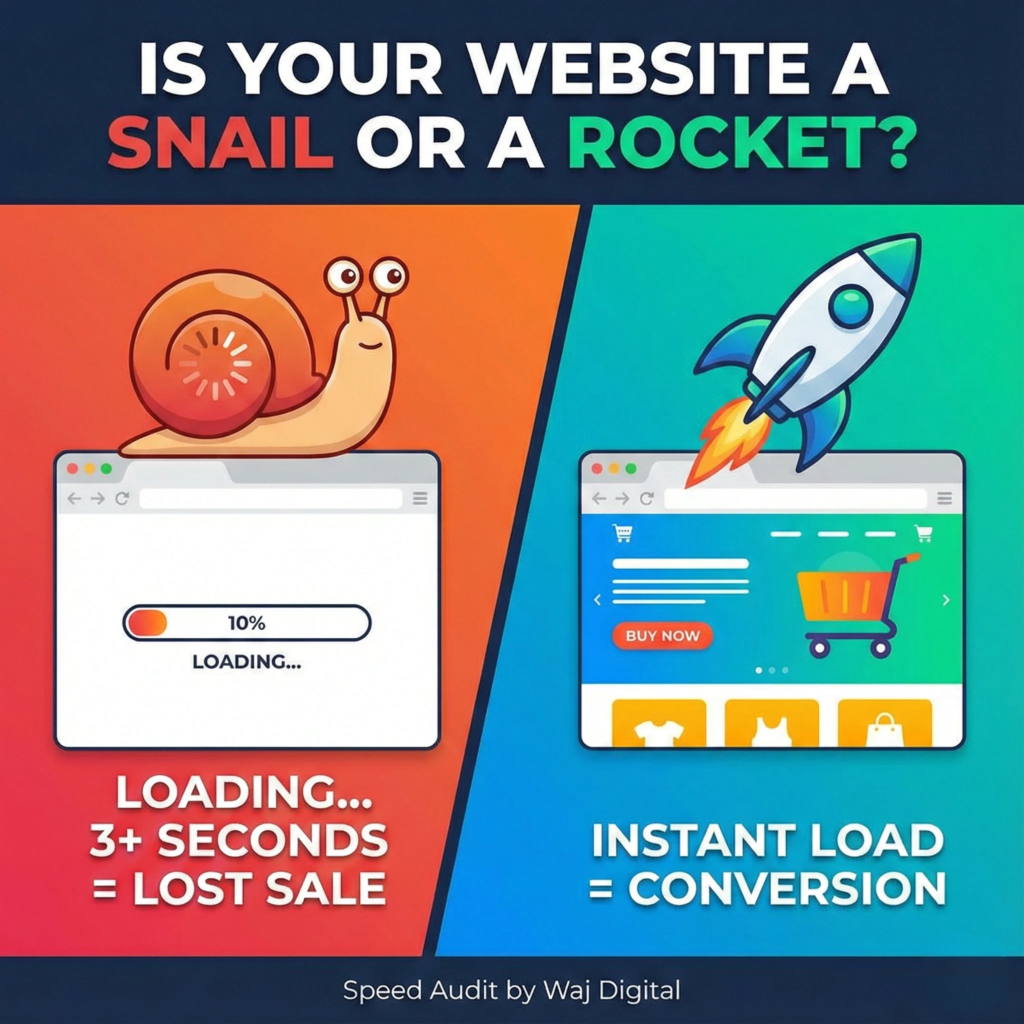
Short answer: yes. If your website takes longer than 3 seconds to load, you are almost certainly losing customers — and it's costing more than most business owners realize. A single 1-second delay can cut conversions by up to 20%, and the probability that a visitor bounces jumps 32% as load time goes from 1 to 3 seconds. In 2026, page speed isn't a "nice to have." It's a Google ranking factor, a trust signal, and a direct line item on your revenue.
How a Slow Website Actually Costs You Money
Every extra second your site takes to load, you lose a measurable slice of your audience — and your revenue. Here's what the data shows:
- Conversions drop with every delay. A 1-second delay in load time can reduce conversions by up to 20%. Roughly, every additional 100ms of latency costs about 1% in conversions.
- Ecommerce sites feel it directly. Sites that load in 1 second convert at 3.05%, compared to just 1.08% for sites that take 5 seconds — and 1-second sites generate roughly 2.5x more revenue per visitor.
- Bounce rate compounds the damage. Bounce rate sits around 7% at a 1-second load time, climbs to 11% at 3 seconds, and jumps to 38% at 5 seconds.
- Visitors expect speed and won't wait. 47% of users expect a page to load in 2 seconds or less, and 40% abandon a site that takes longer than 3.
- A slow site damages repeat business, too. 79% of shoppers who are dissatisfied with a site's performance say they're less likely to buy from that business again.
- The industry-wide cost is enormous. Slow websites are estimated to cost online retailers around $2.6 billion in lost revenue every year.
What Actually Counts as "Fast" in 2026?
Google measures speed through three Core Web Vitals, and each one has a specific pass/fail threshold:
- Largest Contentful Paint (LCP) — how long it takes your main content to appear. Target: under 2.5 seconds.
- Interaction to Next Paint (INP) — how quickly your site responds when someone clicks or taps. Target: under 200 milliseconds.
- Cumulative Layout Shift (CLS) — how much your layout jumps around while loading. Target: under 0.1.
Google considers a page to "pass" when at least 75% of real visitor sessions hit all three targets. This isn't a minor ranking signal, either — pages sitting in the #1 organic position show a meaningfully higher Core Web Vitals pass rate than pages further down the results. When two competing pages are otherwise similar in content quality, speed is often what decides who ranks on page one.
Why Is My Website Slow? 5 Common Culprits
- Bloated page-builder themes. Heavy visual builders and unused plugins load code your visitors never actually use.
- Unoptimized images. Uncompressed photos, wrong file formats, and no lazy loading are the single biggest, easiest-to-fix speed killer on most small business sites.
- No caching or CDN. Without a content delivery network, every visitor loads your site from scratch, from wherever your server happens to sit.
- Too many third-party scripts. Chat widgets, ad pixels, and analytics trackers each add their own loading delay, and they add up fast.
- Cheap or shared hosting. Budget hosting works fine until real traffic shows up — then response times spike and pages stall.
How We Build Fast Websites at Waj Digital
We don't start with a template and hope it's fast enough. We build with Next.js and React, optimize every image before it ships, strip out unnecessary scripts, and put performance budgets in place from day one — not as an afterthought. The result is a site that's lightning fast, fully mobile responsive, and SEO-ready the moment it launches. If you want the technical details on how we approach builds, see our web development services.
What Clients Say
“We always enjoy working with the Waj Digital team. They're consistent in their efforts and helped us grow our online presence significantly. Looking forward to a long-term partnership.”
“Waj Digital didn't just grow our following — they drove real engagement and real traffic, beyond what I expected. Creative, strategic, and genuinely easy to work with. Highly recommend.”
“Waj Digital's guidance is the reason I committed to a new growth channel — and it paid off. Their approach delivered far more stable, consistent results than what I was used to.”
Why Fast Websites Win
Modern frameworks built for speed from the ground up, not retrofitted onto a bloated CMS theme.
We set speed targets before writing a line of code, not as an afterthought once the site feels slow.
Compressed, correctly formatted, and lazy-loaded so nothing drags your Core Web Vitals down.
Speed is a ranking factor. A fast build gives you a head start Google actually rewards.
Frequently Asked Questions
Get a Free Speed Audit
Don't let slow code quietly kill your conversion rate. Book a call and we'll run a free speed audit on your current site and show you exactly what's costing you customers.